


Metricool review and pricing. Choosing an all-in-one social media platform requires balancing monthly costs against reporting depth and automation features. While tools like Hootsuite and Buffer continue to adjust their pricing structures, Metricool in 2026 remains one of the most popular choices for creators, freelancers, and growing marketing teams.
In our hands-on metricool review, we evaluated metricool’s pricing, core scheduling features, new AI assistant updates, and advanced analytics engine to determine if metricool is worth the investment for your business.
Table of Contents
Quick Verdict: Metricool Review and Pricing
- Choose Metricool if:You need an affordable social media tool that handles visual scheduling, competitor benchmarking, paid ad management for Meta and Google Ads, and custom reporting across multiple brands.
- Choose an Alternative (like Buffer or Social Champ) if:You only manage 1–2 social profiles on LinkedIn or X (Twitter) and need a basic free option, as Metricool restricts LinkedIn and X on its free tier.
1. Metricool Pricing 2026 Breakdown
Metricool’s pricing relies on a per-brand pricing model rather than charging per user seat or per platform.One brand covers one connected account per supported network (Facebook, Instagram, TikTok, Google Business Profile, YouTube, Pinterest, LinkedIn).
| Plan Tier | Price (Billed Annually) | Brands Included | Key Features & Limits |
| Free Plan | $0 / month | 1 Brand | 20 posts per month, 30 days data history, 5 competitor profiles. (Excludes LinkedIn & X). |
| Starter Plan | ~$18 – $22 / month | 5 Brands | Unlimited posts, LinkedIn access, 100 competitors, custom PDF/PPT reports. |
| Advanced Plan | ~$45 – $54 / month | 15 Brands | Unlimited team members, approval workflows, Looker Studio connector, API access. |
| Custom / Enterprise | Custom Quote | 50+ Brands | White-label reporting, dedicated account manager, enterprise limits. |
Important Add-On Note: Due to external API fees, connecting an X account requires an optional add-on fee (around +$5/month per account) across paid plans.
2. Core Workflow & Features Evaluated
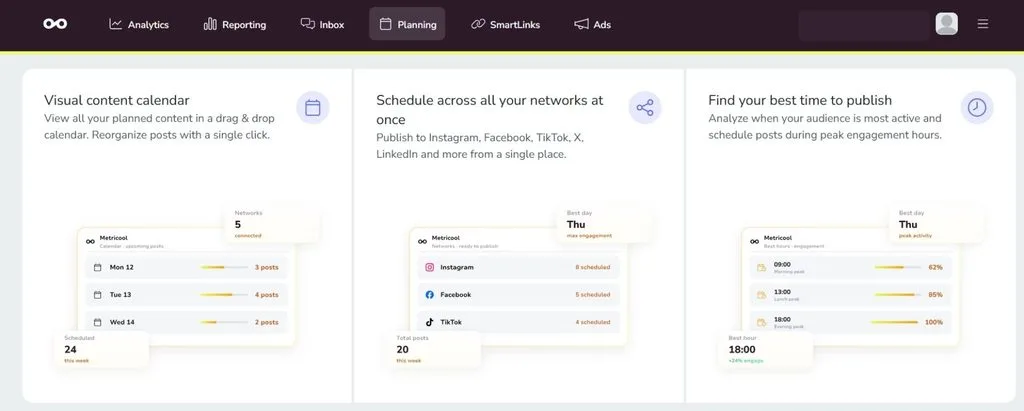
Visual Scheduling & Best Times to Post
During our testing of the dashboard, Metricool’s heatmap overlays proved to be its best scheduling tool. The calendar directly highlights peak active hours for your specific audience across Instagram, Facebook, and TikTok.
- Content Creation & Scheduling: Easily draft captions using the built-in AI assistant, apply hashtag recommendations, and schedule short-form video content.
- Bulk Scheduling: Upload CSV files or connect an RSS feed to automate recurring posts across networks.
Advanced Analytics & Competitor Tracking
Unlike many social media scheduling tools that treat data as an expensive add-on, metricool provides extensive performance data across all paid plans.
- Competitor Benchmark: Monitor up to 100 competitor profiles to compare engagement trends and growth rates.
- Organic and Paid Unified: Track organic social metrics alongside paid campaigns for Google Ads, TikTok Ads, and Meta in one dashboard.
- Custom Report Export: Generate client-ready PDF and PowerPoint reports in seconds.
Unified Social Inbox
Metricool’s inbox consolidates incoming comments, direct messages, and reviews across connected networks, allowing small businesses and community managers to manage customer interactions efficiently.
3. Pros and Cons
Pros:
- Cost-Effective Scaling:Per-brand pricing with unlimited team members on the Advanced plan makes scaling affordable for agencies.
- Ad Integration:Tracks both organic social posts and paid ad performance inside one dashboard.
- Competitor Insights: Detailed competitor tracking even on lower-tier paid plans.
Cons:
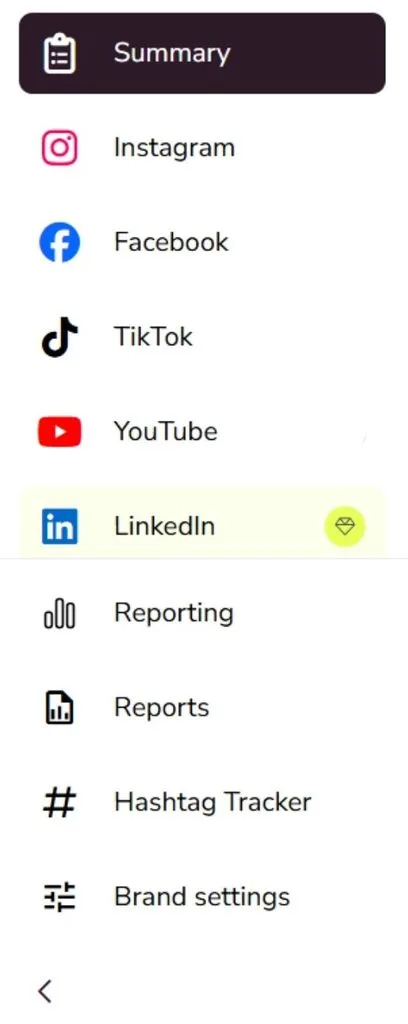
- Free Plan Exclusions:The free plan covers 1 brand but excludes LinkedIn and X connections.
- X (Twitter) Extra Fees:Connecting X accounts requires an extra monthly add-on charge.
Frequently Asked Questions
Is Metricool really free in 2026?
Yes.Metricool offers a permanent free version for 1 brand with up to 20 posts per month and 30 days of analytics history.
How does Metricool compare to Buffer?
Buffer charges per individual channel (which adds up quickly if you use 4-5 platforms).Metricool uses a per-brand pricing model that includes all major networks under one brand flat fee.
Do I need the Advanced plan for team collaboration?
Yes.Approval workflows, role management, and access for unlimited team members are unlocked starting on Metricool’s Advanced plan.
Final Recommendation: Metricool in 2026
If you want an all-in-one social media suite that combines visual content scheduling, competitor benchmarking, paid ad tracking, and client reporting, Metricool is great value for money.
For freelancers and small businesses, Metricool’s Starter plan provides incredible value, while agencies managing 50 brands or more will save thousands compared to enterprise platforms like Hootsuite or Sprout Social.