


Learning how to use NeuronWriter for blog SEO is one of the fastest ways to improve your search rankings. Creating content that ranks on the first page of search engines requires more than just good writing. You need strategic topic coverage, proper semantic entity usage, and an intuitive content optimization tool to guide your workflow.
NeuronWriter is an AI-powered SEO and content optimization platform designed to take the guesswork out of SEO content creation. By leveraging Natural Language Processing (NLP) and competitive SERP analysis, it helps you plan, write, and optimize articles for maximum search visibility.
Here is a practical, step-by-step NeuronWriter tutorial to help you boost your blog’s SEO.
Table of Contents
Step 1: Set Up Your Project & Define Competitors
When getting started with NeuronWriter, your first step is setting up a dedicated project folder for your domain.
- Create a Project: Input your domain name and target country/language settings to align with your local search market.
- Start a Content Analysis: Enter your target keyword (e.g., how to use neuronwriter for blog seo).
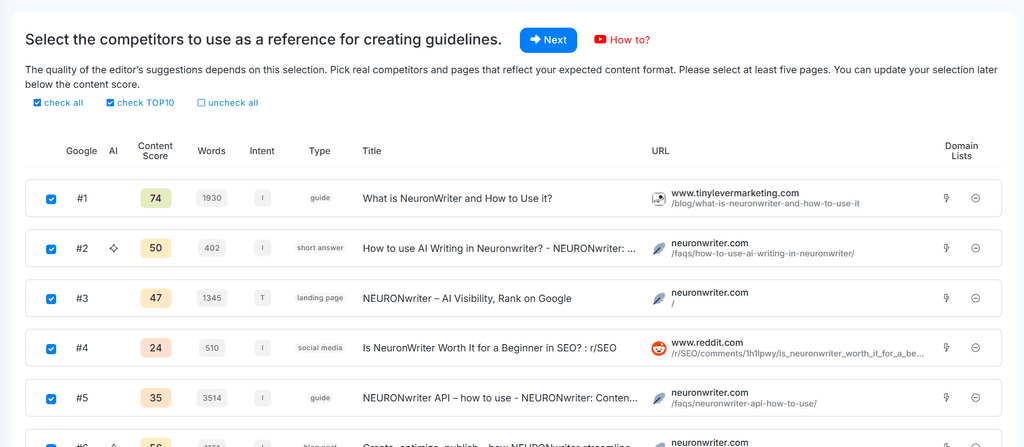
- Select Your Competitors: NeuronWriter will fetch top-ranking URLs. Review the list and deselect irrelevant pages—such as low-quality forums, YouTube videos, or massive e-commerce sites—so your content score benchmark reflects actual blog competitors.
Step 2: Build a Logical Outline in the Content Designer
Structure is critical for both readers and search engines. Before drafting, use NeuronWriter’s content designer to map out your article hierarchy.
- Analyze Top Headers: Browse competitor H2 and H3 tags directly within the analysis tab.
- Incorporate FAQ Items: Pull real user questions from Google’s People Also Ask sections to build an engaging FAQ section.
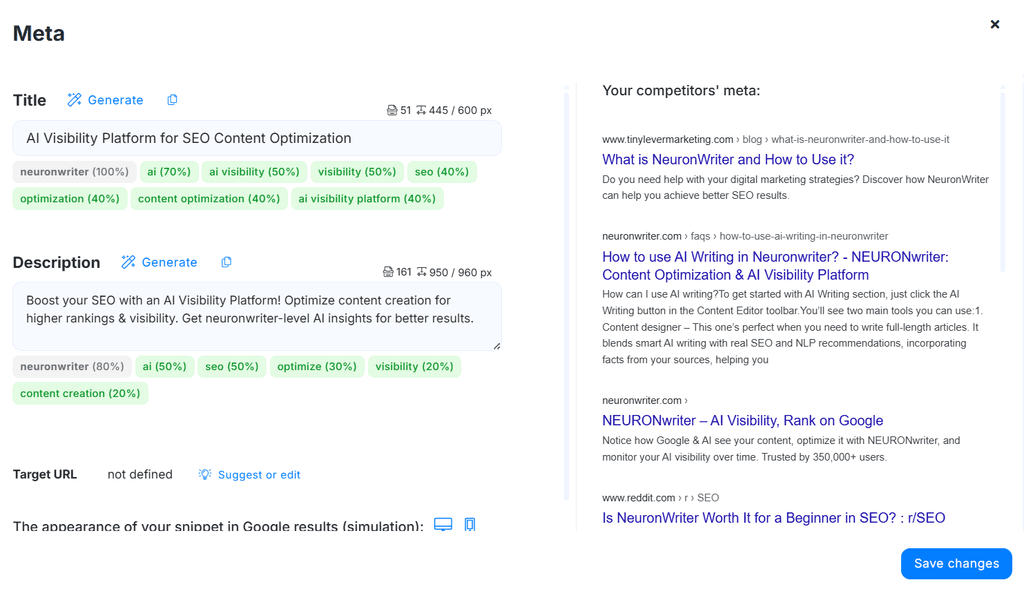
- Draft Title & Meta Description: Craft an enticing meta title and meta description incorporating your primary keywords to improve click-through rates.
Step 3: Write Helpful Content with AI Writing Templates
NeuronWriter functions as an effective AI writing tool to speed up your content creation process without sacrificing quality.
- Use AI Templates: Generate introductory paragraphs, H2 outline expansions, or full article drafts using built-in AI models.
- Integrate Personal Experience (E-E-A-T): Blend AI generation with your own first-hand insights, unique screenshots, and practical examples.
- Maintain Natural Tone: Use NeuronWriter’s AI templates as a rough draft springboard, then refine the prose for readability and brand voice.
Step 4: Fine-Tune NLP Terms in the Content Editor
Once your draft is in the content editor, focus on topical coverage using the semantic terms sidebar.
- Basic Terms: Ensure high-priority keywords and core entities are naturally woven into your text and subheadings.
- Extended Terms: Scatter supporting terms throughout your paragraphs to strengthen semantic relevance without keyword stuffing.
- Target Score Range: Aim for a content score that matches or slightly exceeds the top-ranking competitors in your specific niche—focusing on clarity over artificial score chasing.
Step 5: Final Quality Checks & Internal Linking
Before publishing your article to your CMS, take advantage of NeuronWriter’s built-in optimization tools:
- Plagiarism Checker: Run a quick check using the built-in plagiarism checker to confirm your piece of content is 100% unique.
- Internal Link Suggestions: Use the internal linking feature to discover smart linking opportunities across your existing content portfolio.
- Final Review: Ensure formatting elements like tables, bullet points, and clear callouts are intact to deliver maximum user value.
NeuronWriter Content Optimization Checklist
| Workflow Stage | Action Item | Key Focus Area |
| Preparation | Filter SERP competitors | Exclude forums & irrelevant domains |
| Structure | Build H2/H3 outline in Content Designer | Address search intent & FAQs |
| Drafting | Combine AI templates with 1st-person insights | Build E-E-A-T and natural readability |
| Optimization | Align NLP terms in Content Editor | Reach competitive score target naturally |
| Publishing | Check plagiarism & internal links | Maintain content uniqueness & site structure |
Frequently Asked Questions (FAQ)
How does NeuronWriter improve blog SEO?
NeuronWriter analyzes top-ranking competitor pages using Natural Language Processing (NLP). It identifies the exact semantic terms, heading structures, and content depth required to help your article match Google’s search intent.
Can I re-optimize existing content with NeuronWriter?
Yes. You can paste an existing URL into NeuronWriter to evaluate its current content score against updated SERP results, then add missing NLP terms to boost search performance.
Is NeuronWriter suitable for beginners?
Absolutely. The intuitive interface, clear term suggestions, and built-in AI templates make it easy for new content creators and seasoned content marketers alike to produce optimized articles quickly.